
Witcher 3 Remastered Photo Mode Without Invented Buttons
U on PC, L3+R3 on PlayStation, LS+RS on Xbox — then the remaster's extra poses, frames, and filters.
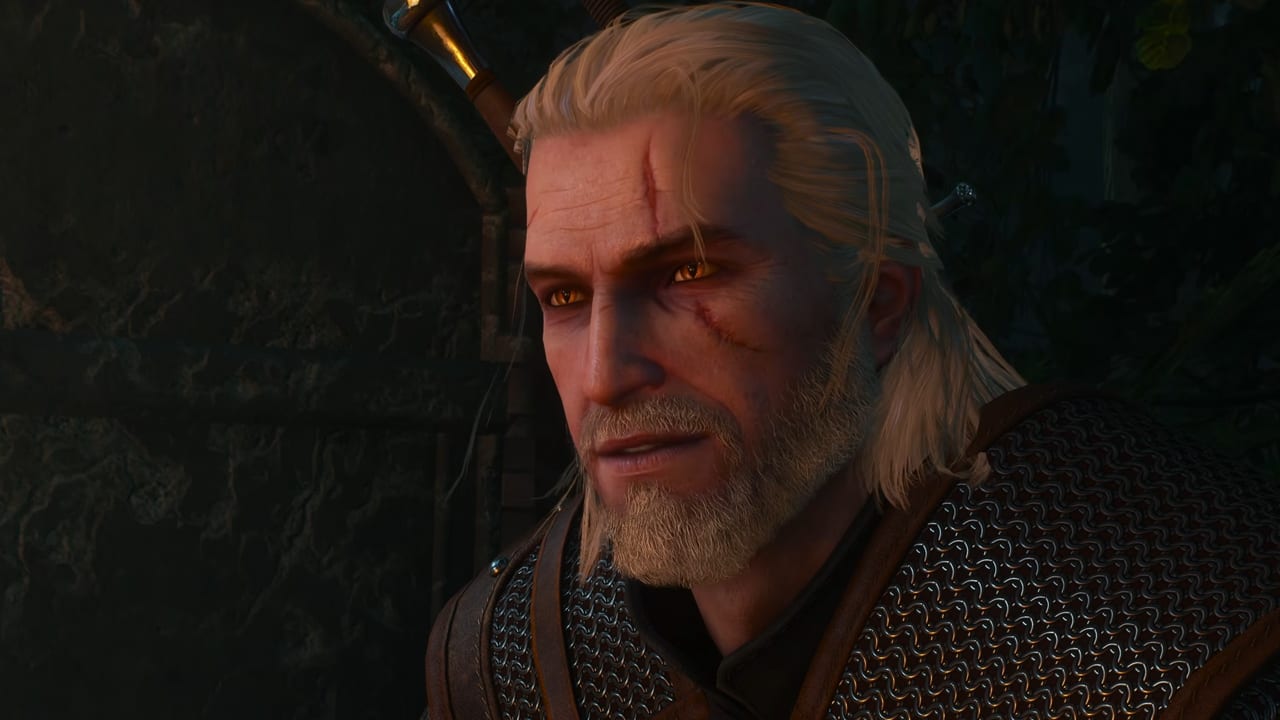
The Witcher 3: Wild Hunt — Remastered launches September 29, 2026 with an expanded photo mode. That sentence is a feature-list item, not a new genre. Photo mode has existed since the 2022 next-gen update. CD PROJEKT RED and Yigsoft are widening it — new poses, camera controls, frames, filters, and models were the public talking points on the gamescom REDstreams Day 4 overview — not replacing the old open-the-camera habit with unpublished button names.
This page is the practical brief: how you open it on the hardware you actually own, where the files land, what the 2022 tool already did, and what “expanded” means until September 29 patch notes print a longer menu. It is not a combat guide. Pause the world, take the shot, then put Geralt back on a silver sword. Pair it with Transmog if the armor silhouette is the reason you stopped, and with Graphics Settings if the reason is path tracing or ray-traced hair.
How to open it (the controls that already exist)
Do not invent remaster-only labels. Until CDPR publishes a new binding, the next-gen controls still apply:
- PC: press U.
- PlayStation: press L3+R3 together (both sticks clicked).
- Xbox: press LS+RS together (both sticks clicked).
Those are the same chords people have used since the 2022 next-gen patch. If a thumbnail promises a secret Remastered “Photo” face button, it is guessing. Check Controls for combat and Sign bindings; photo mode is a hold-the-world overlay, not a Sign slot. You can still rebind keys on PC in the options menu the way the rest of the game always allowed — that is not a new Remastered chord, and this page will not name a fictional default.
Open it in the field, in a city street, on Roach, or during a pose you already like. Do not open it in a loading screen and then file a bug report. If a scripted sequence disables the overlay, wait until Geralt is yours again. Ciri chapters are authored; if the overlay is blocked there, that is a sequence rule, not a missing DLC.
Where the screenshots go
On PC, shots save under Documents\The Witcher 3\screenshots. That folder is the one you copy to a drive, not a hidden cache inside the install directory. Steam’s screenshot key is a different pipeline; U is the in-game photo-mode writer. If you cannot find a shot, you pressed the overlay key and then forgot to confirm the capture inside the photo-mode UI.
Console captures follow the platform’s own gallery (PlayStation captures, Xbox captures). Photo mode still composes the image; the OS still owns the share sheet. This wiki will not invent a Remastered “cloud album” that CDPR has not described.
Keep the folder. Transmog looks, hair-ray portraits, and a Toussaint vineyard at dusk are the reason people reinstall this game. They are not a substitute for a named save before a contract. Take the picture, then keep the three manual slots Getting Started already told you to name.
What the 2022 camera already let you do
The next-gen photo mode was never “hide the HUD and hope.” The shipped tool already covered the jobs most people actually want:
- Field of view and camera distance, so a close Geralt portrait is not the same shot as a Kaer Morhen courtyard.
- Depth of field, so the background falls off instead of competing with the swords.
- Time of day and weather sliders, so you are not waiting two hours of meditation for a sunset you already passed.
- Hide UI, hide Geralt, or keep him in frame.
- Filters, frames, and stickers for a finished still.
- Lighting tweaks for a face that path tracing will later make even more expensive.
Use those. They are the baseline the remaster is expanding, not a deprecated toy. If you only ever press U, hide the HUD, and mash capture, you are leaving the actual camera on the table.
What “expanded” means in the remaster
The public Remastered list — and the dedicated REDstreams gamescom Day 4 overview — names new poses, camera controls, frames, filters, and models. Read that as more ways to dress a still, not as a second animation engine. What’s New is the glossary; this page is the “how do I open it” half.
Practical consequences for a September 29 replay:
- Poses are why transmog finally has a runway. Dress the Kaer Morhen silhouette over Toussaint numbers, then pick a pose that is not the idle sword drop. Details on Transmog.
- Camera controls are a wider compose, not a promised drone you fly through Novigrad’s roofs. Until notes list a new default key, U / L3+R3 / LS+RS remain the door.
- Frames and filters are finishing tools. They do not change Death March damage.
- Models are extra subjects in the scene. Do not assume every companion becomes a studio mannequin; wait for the menu.
Hair rays and path tracing are graphics toggles, not photo-mode toggles. Turn them on for a five-minute Kaer Morhen shoot on a high-end PC, then put the combat preset back. Graphics Settings is explicit that ray-traced hair is a portrait feature. Minimum GPUs should leave it off during contracts.
Photo mode is not a build, a walkthrough, or a second HUD
A few bad habits travel with pretty screenshots:
- Do not treat photo mode as a scouting tool for question marks. Witcher Senses still do that job.
- Do not skip oils because you stopped to frame a griffin. The bird still wants Griffin oil and Quen. See the Combat Guide.
- Do not confuse an expanded camera with a new story. Hearts of Stone and Blood and Wine were granted at no extra cost on August 25, 2026; they do not add a photo-mode campaign. Songs of the Past in 2027 will give Letten a new skyline to shoot. That expansion is a separate purchase — Songs of the Past — not a filter pack.
- Mods can add cameras, weather, or outfits. That is community content. The shipped overlay is the one this page documents. Cross-platform mods belong on Mods.
If you are claiming the free upgrade, finish How to Upgrade before you hunt a screenshot folder that does not exist yet. If you are new, learn dodge and Yrden first; the mill looks better when you are not reloading it.
Take one courtyard shot after you claim the September 29 client, copy it out of Documents\The Witcher 3\screenshots, and then go back to the well. Photo mode is how this remaster shows the lighting stack. It is not how you beat a noonwraith. Close the overlay with the same keys that opened it, recast Quen, and let the Continent move again.
Frequently Asked Questions
Quick answers about the Remastered upgrade, builds, and story.
How do I open Photo Mode?
PC: press U. PlayStation: L3+R3. Xbox: LS+RS. Those are the next-gen controls. This page does not invent unpublished Remastered-only button names. Combat bindings live on Controls.
Where are screenshots saved?
On PC, in Documents\The Witcher 3\screenshots. Console shots go through the PlayStation or Xbox capture gallery. Steam's own screenshot key is a separate pipeline from the in-game overlay.
Is Photo Mode new in Remastered?
No. It has existed since the 2022 next-gen update. Remastered expands it — new poses, camera controls, frames, filters, and models were covered on the gamescom REDstreams Day 4 overview.
Should I turn on path tracing for photos?
On a high-end PC, yes for a short portrait session, with an upscaler already on. Turn hair rays on for the shoot, then restore the combat preset. See Graphics Settings.
Does Photo Mode change combat or the story?
No. It pauses the world for a still. Oils, Signs, and quest order are unchanged. Use the Combat Guide for fights and Transmog if the armor look is the reason you opened the camera.
Will Songs of the Past add a new camera?
CDPR has not published a second photo-mode product for 2027. Letten will be a new place to shoot. The expansion is a separate purchase; details sit on Songs of the Past.